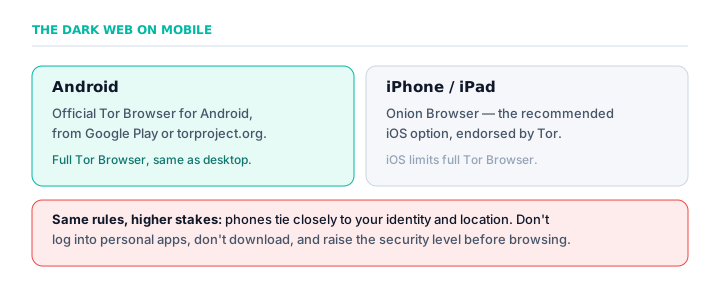
On Android, use the official Tor Browser from the Tor Project, available on Google Play or torproject.org — it's the full browser. On iPhone and iPad, Apple's restrictions mean you should use Onion Browser, the free app the Tor Project endorses. Avoid fake 'dark web browser' apps. The usual safety rules apply but matter more on mobile, since a phone ties closely to your identity.
- Android: the official Tor Browser (full version)
- iPhone/iPad: Onion Browser, endorsed by the Tor Project
- Avoid fake “dark web browser” apps in the stores
- Mobile ties to your identity and location — higher stakes
- Don't log into personal apps or download anything
Accessing the dark web on a phone is entirely possible, but it works differently on Android and iPhone, and the stakes are higher than on a desktop — because a phone is tied so tightly to your identity and location. Here's the honest guide for each.
On Android
Android has the easiest path: the official Tor Browser for Android, made by the Tor Project, available from Google Play or directly from torproject.org. It's the full Tor Browser, essentially the same as the desktop version, and it handles everything automatically. Install it, connect, and raise the security level — exactly as you would on a computer.
On iPhone and iPad
iOS is more restricted. Apple's rules prevent a full Tor Browser, so the Tor Project recommends Onion Browser, a free app it endorses. It routes through Tor and reaches .onion sites, though within the limits Apple imposes on iOS browsers. It's the correct choice on iPhone — avoid random “Tor” apps in the App Store, many of which are low-quality or fake.
Only official apps: Tor Browser (Android) and Onion Browser (iOS). The app stores are full of fake “dark web browser” apps that are useless or malicious. Verify the developer.
Why the stakes are higher on mobile
A phone is far more personal than a laptop: it carries your real identity through logged-in apps, your precise location through GPS, and a camera and microphone. The same safety rules apply but matter more — don't log into personal apps while browsing, don't download anything, and be aware that mobile ties to you more tightly than a desktop does.
The verdict
Android users get the full official Tor Browser; iPhone users should use Onion Browser. Either way, mobile access is real and legal in most countries, but it's not the ideal platform for anyone with serious privacy needs — a desktop, or Tails, offers more control. For casual, careful reading, a phone is fine.
Frequently asked questions
Can you access the dark web on a phone?
Yes. On Android, use the official Tor Browser for Android. On iPhone and iPad, use Onion Browser, the app the Tor Project recommends because Apple's rules prevent a full Tor Browser on iOS.
How do you access the dark web on iPhone?
Install Onion Browser, the free app the Tor Project endorses for iOS. It routes through Tor and reaches .onion sites within Apple's browser limits. Avoid random ‘Tor’ apps in the App Store, many of which are fake.
How do you access the dark web on Android?
Install the official Tor Browser for Android from Google Play or torproject.org, connect, and raise the security level. It's essentially the same full browser as the desktop version.
Is it safe to access the dark web on a phone?
It can be, with the same rules as desktop — but the stakes are higher because a phone carries your identity, location, camera and mic. Don't log into personal apps or download anything, and use only official Tor apps.
What is the best dark web browser for mobile?
The official Tor Browser on Android, and Onion Browser on iPhone. These are the only apps the Tor Project makes or endorses; most other ‘dark web browser’ apps are low-quality or malicious.